
Download Car Parking Multiplayer Beta Version 2026
Car Parking Multiplayer beta version lets you enjoy the new cars, maps, and features before they are released to everyone. It is a special version of the game made for players who want to explore the new updates early and help improve the game.
By playing the beta, you test new features in the game, find bugs and issues in the game, and report them to the developer to improve the game. You can also give suggestions for new features as well. It’s a fun way to be a part of the game’s growth while enjoying the new content ahead of the final release.

App Specification
Size
2 GB
Latest Version
v4.9.11
Requirements
6.0 and up
Downloads
100,000,000+
Last Updated
Recently
Category
Simulation
Developer
olzhass
Rating
4.5/5.0
What is Car Parking Multiplayer Beta Version
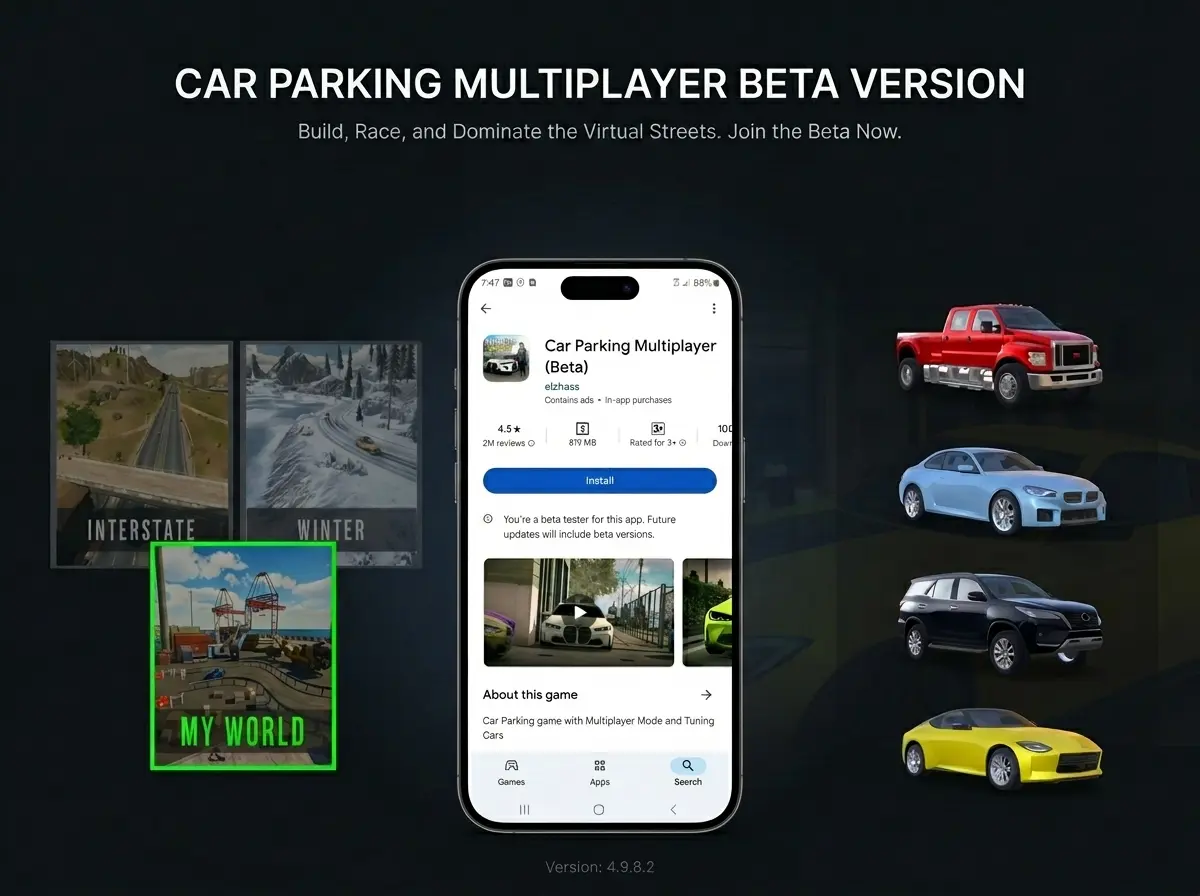
Car Parking Multiplayer beta is a testing edition of the car parking multiplayer game. It gives players early access to the upcoming features, vehicles, and maps before they are officially released in the stable version. The beta version allows you to explore the new upcoming features and provide feedback to the developers.
This version is completely free to download and is primarily for those players who want to test the new features early and want to contribute to the game by reporting bugs and suggestions. By installing it, you can also be a part of the development process while enjoying the pre-release game.
How to Download and Install Car Parking Multiplayer Beta
Below are the simple and easy steps you can follow to download the Car Parking Multiplayer beta version on both Android and iOS devices.
Download on Android (Google Play Store)
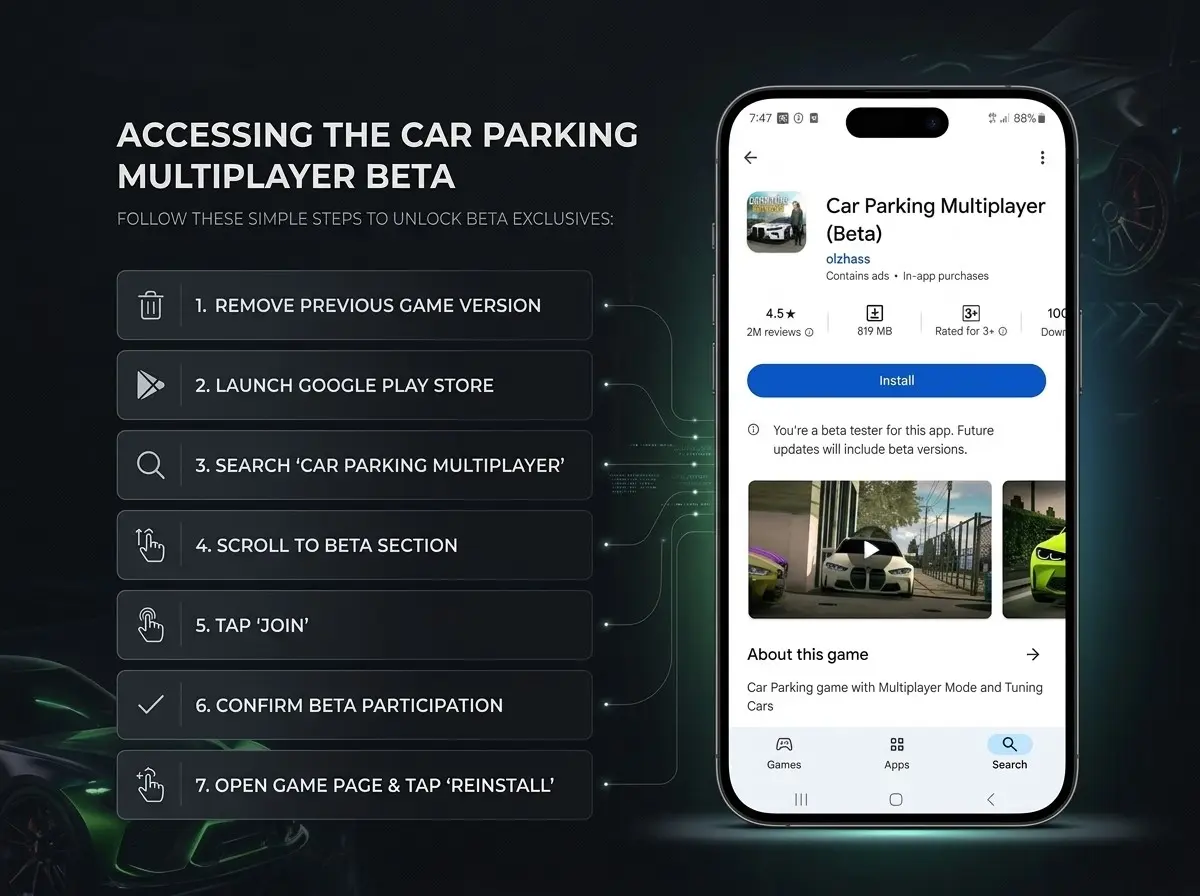
- Open Google Play Store: Launch the Play Store on your mobile device.
- Search for the Game: Type “Car Parking Multiplayer” in the search bar and open the official game page.
- Scroll to Beta Program: Scroll down the game page to find the “Join Beta” section.
- Join Beta: Tap the Join button. You may see a confirmation message about beta access—accept it.
- Wait for Enrollment: The process may take a few minutes. Once you’re enrolled, your account becomes part of the beta testing program.
- Update or Install the Game: If the game is already installed, it will show an update available. If not, tap Install to download the beta version.
- Launch the Game: Open the beta version and enjoy early access to new cars, locations, and gameplay features.
- Provide Feedback: If you notice bugs or glitches, use the in-game reporting system to help developers improve the game.
For iOS Users (Apple App Store & TestFlight)
Scarlet is a popular iOS sideloading app that allows you to install .ipa files directly on your device without a PC.
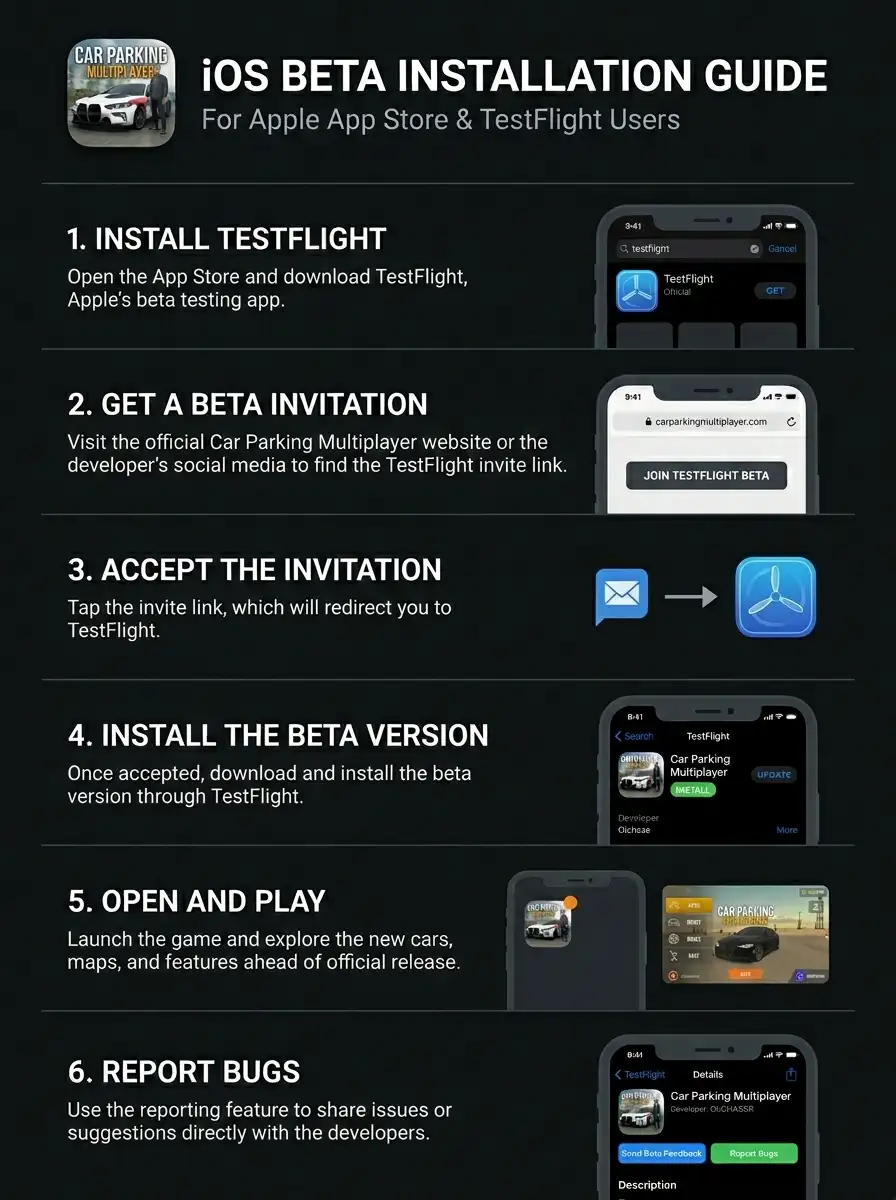
1. Install TestFlight: Open the App Store and download TestFlight, Apple’s beta testing app.
2. Get a Beta Invitation: Visit the official Car Parking Multiplayer website or the developer’s social media to find the TestFlight invite link.
3. Accept the Invitation: Tap the invite link, which will redirect you to TestFlight.
4. Install the Beta Version: Once accepted, download and install the beta version through TestFlight.
5. Open and Play: Launch the game and explore the new cars, maps, and features ahead of official release.
6. Report Bugs: Use the reporting feature to share issues or suggestions directly with the developers.
Want to play the official release instead? Visit our detailed guide on Car Parking Multiplayer iOS for everything you need to know.
Important Notes for Both Platforms
What’s New in the Beta Version
New Cars
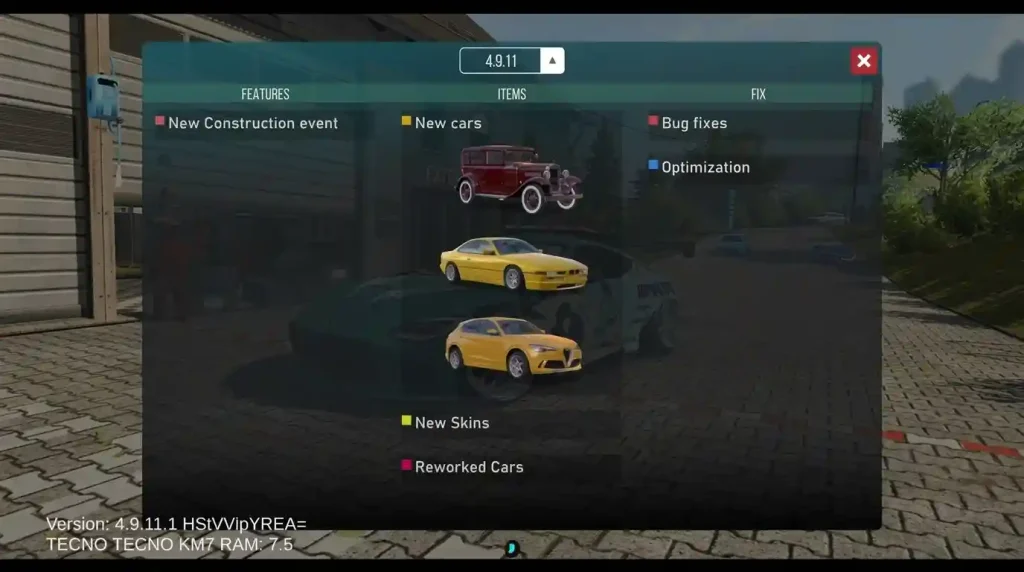
Three new vehicles have been added in this beta update. Two can be purchased using in-game currency, while one is available as a paid car.
- 1931 Chevrolet: A new classic car added to the game with an old-school design and detailed exterior. This is the paid vehicle in the update and costs around $24.
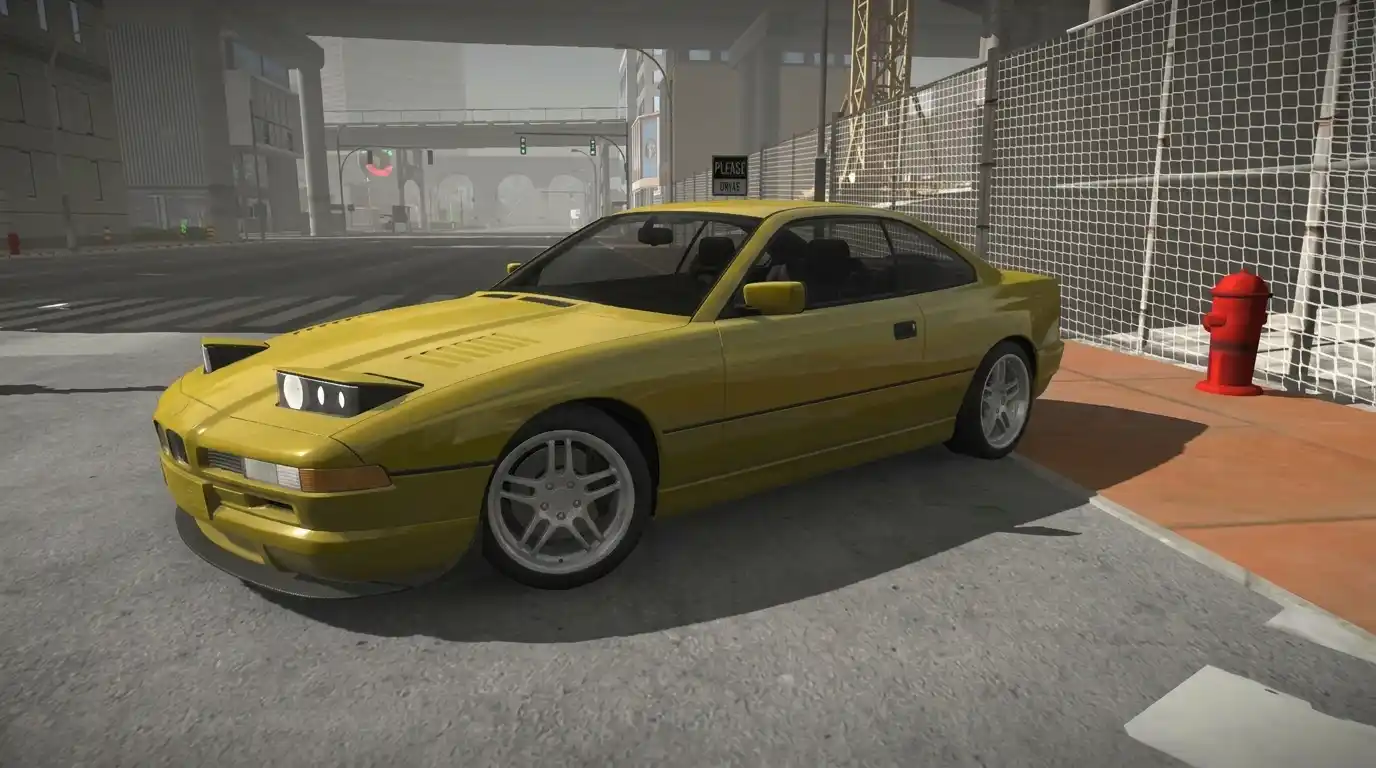
- BMW 850: This is another new addition and can be purchased for 1,500 gold coins. It also comes with customization options, including body modifications.
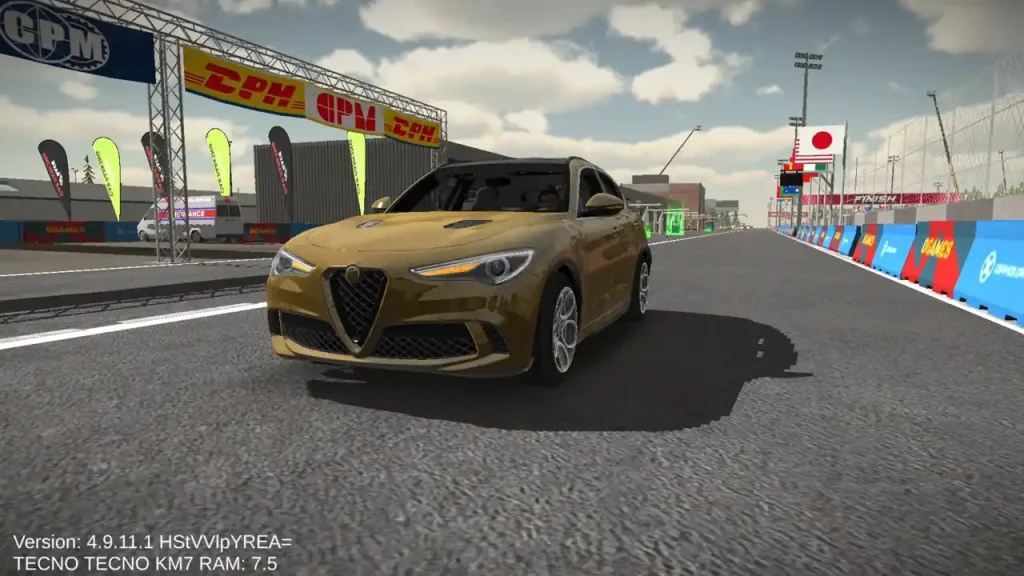
- Alfa Romeo Stelvio: The Alfa Romeo Stelvio joins the game as a new SUV and costs 1,000 gold coins in the beta. The vehicle also features detailed customization and multiple interior options.
The new vehicles were previously available in Car Parking Multiplayer 2 and have now been brought to the original Car Parking Multiplayer. The cars include detailed models, body kits, interiors, animations, and engine sounds.

1931 Chevrolet BMW 850 
Alfa Romeo Stelvio

New Construction Event
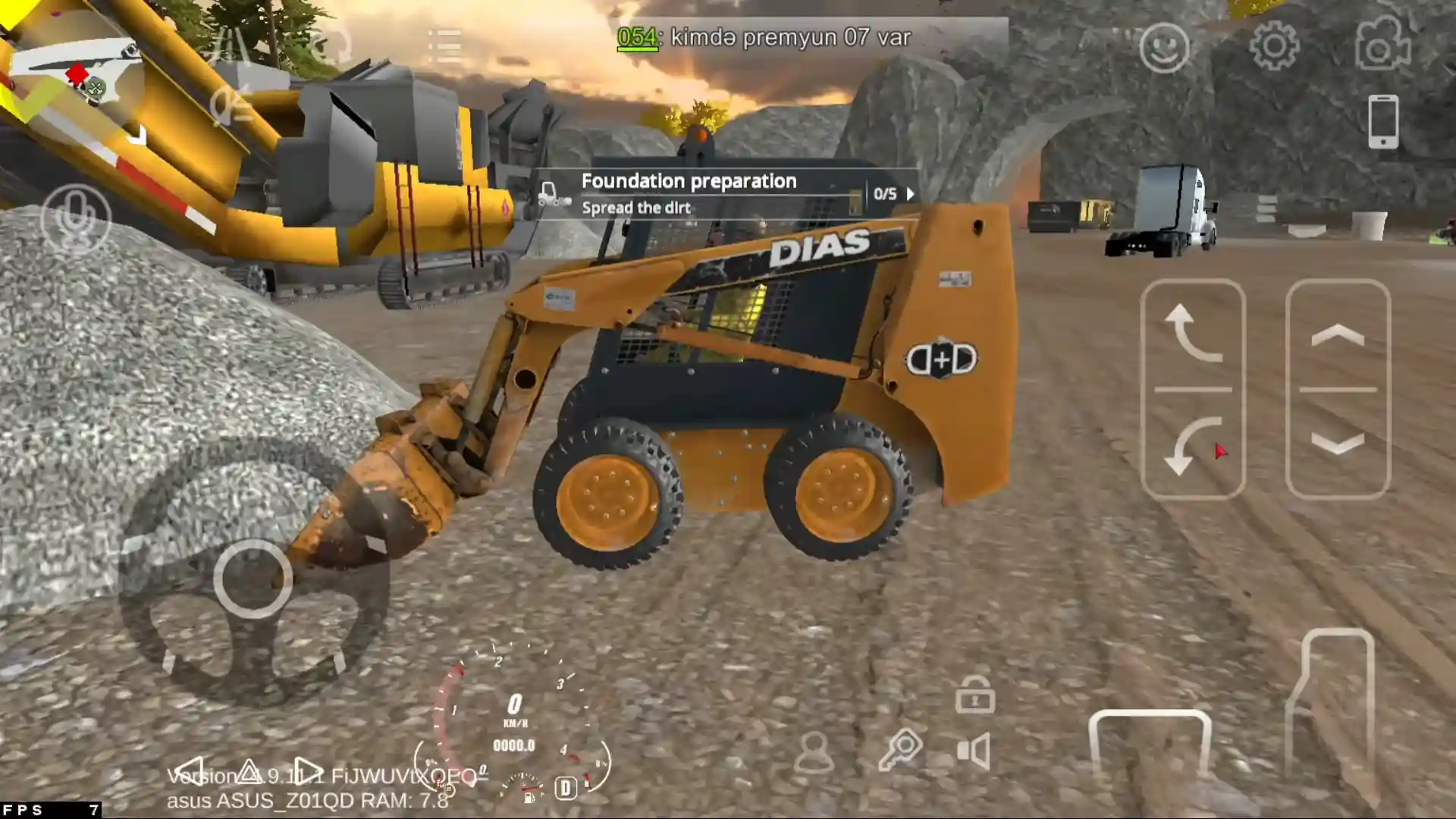
A brand-new Construction event has been added in beta version 4.9.11.1. It introduces a different type of activity where players can work and participate in the new event.
The event includes its own rewards, although many of the available rewards require the Construction Pass to unlock. Players can also receive an outfit near the beginning of the event.
The Construction event may also be connected to a future map update. One of the beta testers suggests that it could be a hint toward the upcoming Italy map, but this has not yet been confirmed.
The previously expected new map itself is not included in this beta build.
Bug Fixes & Improvements
This new beta version also includes:
Car Parking Multiplayer Beta Version vs Normal Version
Feature / Aspect | Car Parking Beta | Official / Stable Version |
Access to New Features | Early access to upcoming cars, maps, and gameplay updates | Features available only after official release |
Stability | May crash, contain bugs, or have incomplete features | Fully tested, stable gameplay with minimal issues |
Progress / Save Data | Progress may reset between beta builds | Permanent and secure progress |
Multiplayer Access | Limited servers, occasional connectivity issues | Full multiplayer support, reliable servers |
Mod Support | Not compatible with mods | Fully compatible with mods and customizations |
Purpose | Testing, feedback, and previewing new updates | Consistent, polished gaming experience |
By downloading the Car Parking Multiplayer Mod Apk you will get unlimited money, unlimited gold, all cars unlocked and many more premium features for free.
Bugs and Feedback Reporting in Car Parking Beta Version
The main purpose of the beta version is to give early access to the new features to the players, so that they can experience the changes and report the issues to the developers. Reporting bugs, glitches, performance issues, or suggestions is an important part of the beta program. It helps the developers to improve the game before the official release.
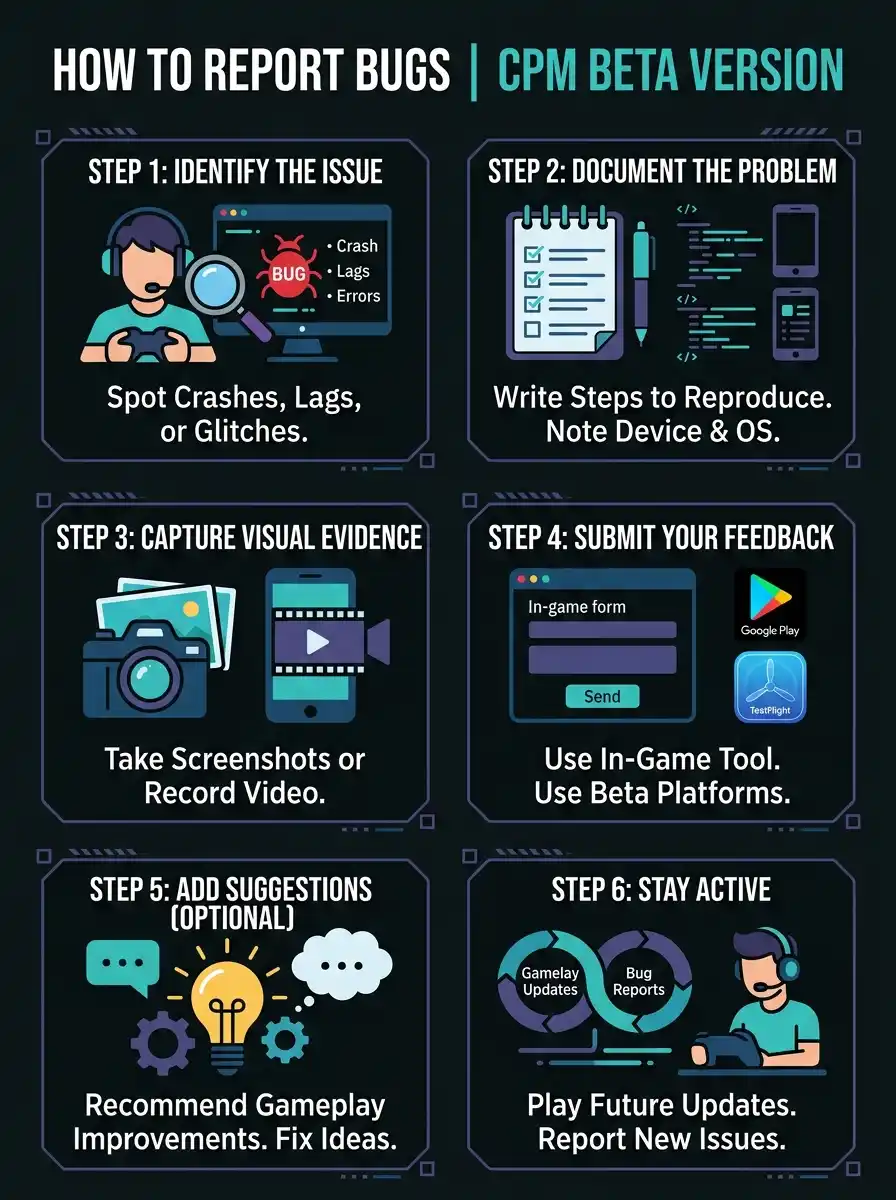
How to Report Bugs in the CPM Beta Version
Follow the steps below to give clear and helpful feedback to the developers.
Step 1: Identify the Issue
Notice any crashes, lags, graphical errors, or gameplay inconsistencies while playing.
Step 2: Document the Problem
- Write down the steps to reproduce the bug.
- Note your device model, operating system version, and the app version.
Step 3:Capture Visual Evidence
Take screenshots or record a short video showing the bug in action. This helps developers understand the problem quickly.
Step 4: Submit Your Feedback
- Use the in-game reporting tool if available.
- Alternatively, follow the beta program instructions on Google Play (Android) or TestFlight (iOS) to submit feedback.
Step 5: Add Suggestions (Optional):
You can also include recommendations to improve gameplay or fix issues.
Step 6: Stay Active
Continue playing and reporting any new issues in future beta updates to help refine the game.
Why Reporting Bugs is Important
Beta players act as testers who identify issues that might affect gameplay. By sharing detailed feedback, players contribute to:
Tips for Playing the Car Parking Beta Version
Playing the car parking multiplayer beta version can be both exciting and challenging. Because it may contain new features, unfinished content, and temporary bugs, following some tips can help you test the beta more accurately.
Explore New Features Early
The beta version often introduces new vehicles, tuning options, and gameplay features before the official release. Take time to test different cars, check their handling, and experiment with new customization options to get familiar with upcoming updates.
Test New Locations
Beta versions often include unreleased maps or redesigned areas. Use this opportunity to explore new roads, challenges, and environments. Identifying tricky spots early can give you an advantage when the official version launches.
Join Multiplayer Carefully
Beta allows multiplayer interaction as well, but the servers may be unstable or limited. Be patient with the connection issues, and if your friend has also got the beta version, you can test racing, drifting, and other multiplayer features with them.
Backup Your Progress
Beta can sometimes reset your gameplay progress between updates, so save important achievements or screenshots. Do not rely on the auto-save feature in the beta version, as in the beta version, your data will be saved temporarily.
Stay Updated
Beta updates come frequently to test new features or fixes, so always check for new updates and keep your game updated to enjoy the latest additions and improvements. You can check in the Google Play Store for a new beta update. After every beta update, we also announce it on our website as well.
Questions Players Ask
Conclusion
The Car Parking Multiplayer Beta version allows you to experience the new cars, maps, and features before they are released in the official game. By playing the beta, you also help to improve the game by reporting bugs and sharing your feedback with the developers. It’s a fun way to discover the new updates and help improve the game for everyone.
3 responses to “Download Car Parking Multiplayer Beta Version 2026”

Completo
❤️
Car parking beta


Leave a Reply